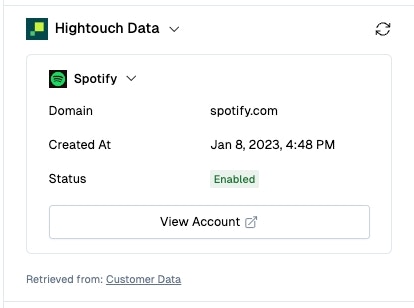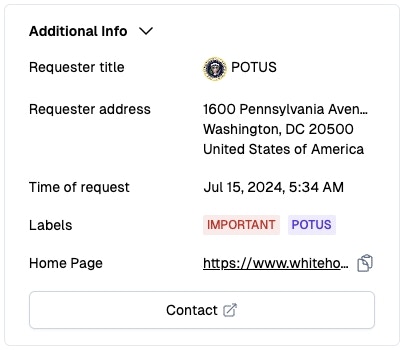
Setup
Visit the Settings Page and look for Custom Apps in the Connections section- Create the App Create a new custom app by clicking on the “Create App” button. Give your app a descriptive name, provide the endpoint URL of the API that will be called to fetch the data, and configure any custom headers that need to be sent with the request.
-
Connect the App
For security purposes, Pylon expects the API endpoint to complete a one-time handshake. Pylon will send a GET request to the endpoint with the following query params:
The code will be a unique code that is generated for each handshake. The endpoint should respond with one of the following responses:Param Value request_typeverifycode0bcb6f583f0e3ca5f034fdd960d6105c-
Set the
Content-Typeheader toapplication/jsonand respond with a JSON object containing thecodevalue that was sent in the query params. -
Set the
Content-Typeheader totext/plainand respond with thecodevalue as the response body.
Unverifiedand you will need to click the “Retry Connection” option to try again. -
Set the
- Load and render data from the API
| Param | Value |
|---|---|
request_type | fetch_data |
app_id | id of the custom app |
widget_id | id of the widget associated with the custom app |
issue_id | id of the issue that the app is being loaded for |
organization_id | id of the organization that the issue belongs to |
account_id | id of the account that the issue belongs to |
requester_id | user id of the requester of the issue |
requester_email | email of the requester of the issue |
Components
The custom app can be built using the following components. If the component type is not recognized, the custom app will render an error state.Card
Render a related set of data together. Custom apps can render multiple cards. All components except cards can be used in the card component.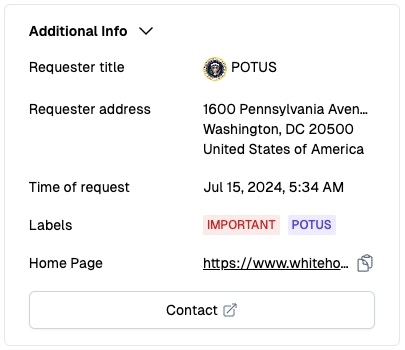
Config
Config
Text
The text value can be a multiline string. Any text that overflows the container will be truncated with an ellipsis.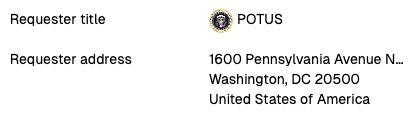
Config
Config
Date Time
Date time value should be in ISO date time format (RFC 3339).
Config
Config
Badge
The badge component can have any number of badges. If the value of the badge is too long, the text in the badge will be truncated with an ellipsis.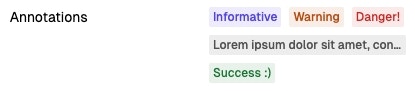
Config
Config
Button
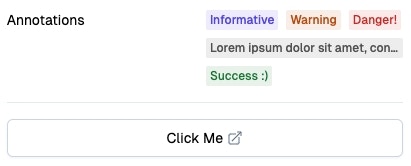
The button component can be used to show a link, for example to an admin dashboard.
Config
Config
Link

Config
Config
Divider
Config
Config
Response Schema
Version 1.0.0
Schema
Schema
Example
Example
Usage
Embed your custom app within the issue view.