window.Pylon("show")
Opens the chat window. Useful for programmatically triggering the chat window from an explicit support flow or button on your site.
window.Pylon("hide")
Closes the chat window.
window.Pylon("onShow")
Pass in a callback function that is called when the chat is shown. Useful for managing state of the chat window. If you pass in null as the callback function, the existing callback is removed.
window.Pylon("onHide")
Pass in a callback function that is called when the chat is hidden. Useful for managing state of the chat window. If you pass in null as the callback function, the existing callback is removed.
window.Pylon("hideChatBubble")
Hides the chat bubble. Useful for hiding it in situations where it’s inappropriate or it’s blocking something underneath (ie an open modal). Does not override the “Show Chat Bubble” setting on the settings page.
window.Pylon("showChatBubble")
Shows the chat bubble. Useful for hiding it in situations where it’s inappropriate or it’s blocking something underneath (ie an open modal). Does not override the “Show Chat Bubble” setting on the settings page.
window.Pylon("onChangeUnreadMessagesCount")
Pass in a callback function that is called immediately and when the unread message count changes. If you pass in null as the callback function, the existing callback is removed.
window.Pylon("setNewIssueCustomFields")
Pass in an object of custom field slugs to their values. New issues created through the Chat Widget messaging will have these custom fields values set.
You must first create the corresponding custom fields inside of Pylon.
Be sure to use the custom field slug, not the label!

window.Pylon("setTicketFormFields")
Pass in an object field slugs to their values. Ticket forms in the Chat Widget will have these values set as default values.
Note that the passed object will apply to all ticket forms. Superfluous and/or invalid fields will be ignored.
Example:
window.Pylon("showNewMessage", "string")
Pass in a message to prepopulate in the editor. For example, use this when a user runs into an error in your application and you want to prefill a message they can submit.
<a>, <b>, <p>, and <i>. If other tags are used, the editor may error.
window.Pylon("showTicketForm", "string")
Navigates the chat bubble to a specified ticket form, by ticket form slug.
Slug.

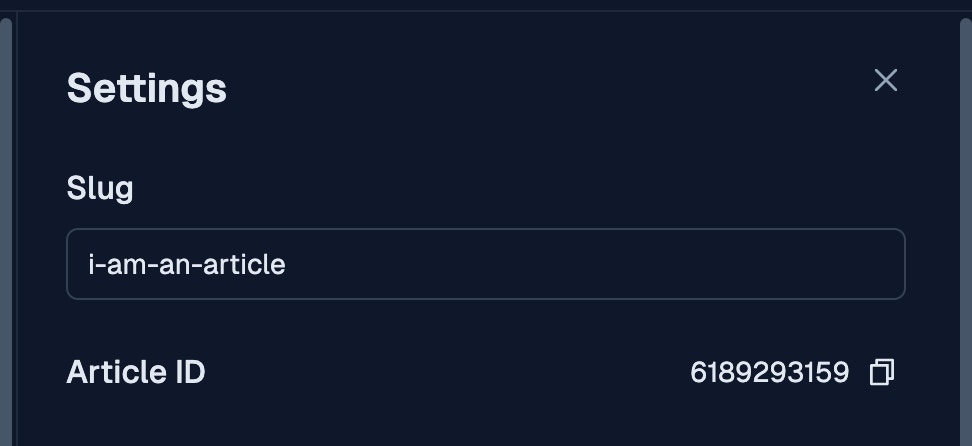
window.Pylon("showKnowledgeBaseArticle", "string")
Navigates the chat bubble to a specified knowledge base article, by article ID.
articles/. In the following example, the identifier is “1234567899”