
Setup
Individual Assignment
Individual assignment rules can be setup using the “Set issue assignee” action in Triggers.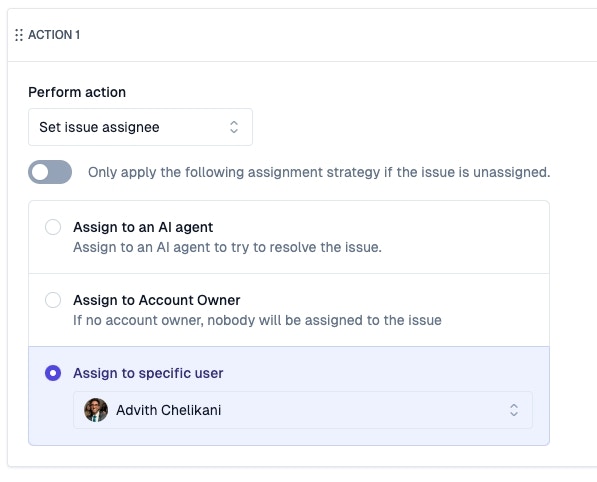
Team Assignment
First create Teams that model groups of people. Then, create assignment strategies to automatically assign issues to individual members of a team. When an issue is assigned to a team, the individual owner of the issue can be determined by the team’s assignment policy. There are additional options to make sure you assign issues based on current User Status.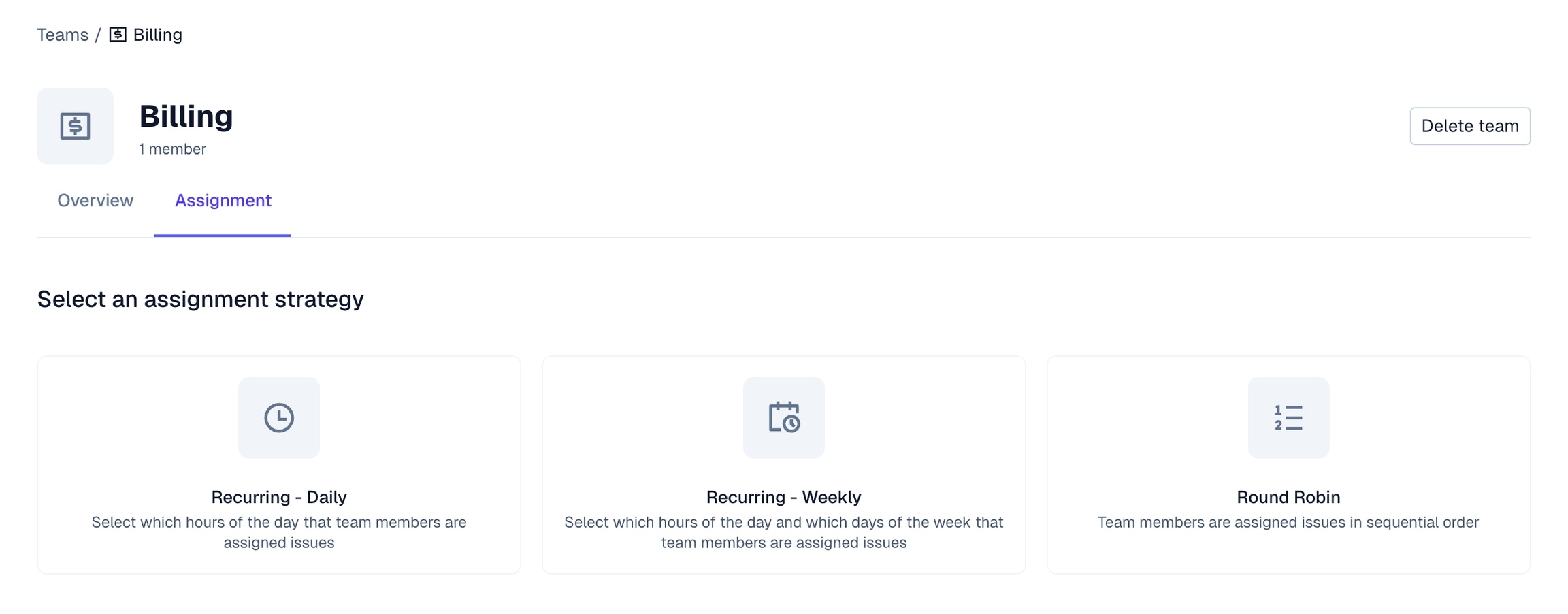
Round Robin
Rotate between each team member equally when assigning issues.Recurring
Set up a daily or weekly repeating schedule. Based on the time of day, issues that are assigned to a team will fall onto the appropriately individual’s plate.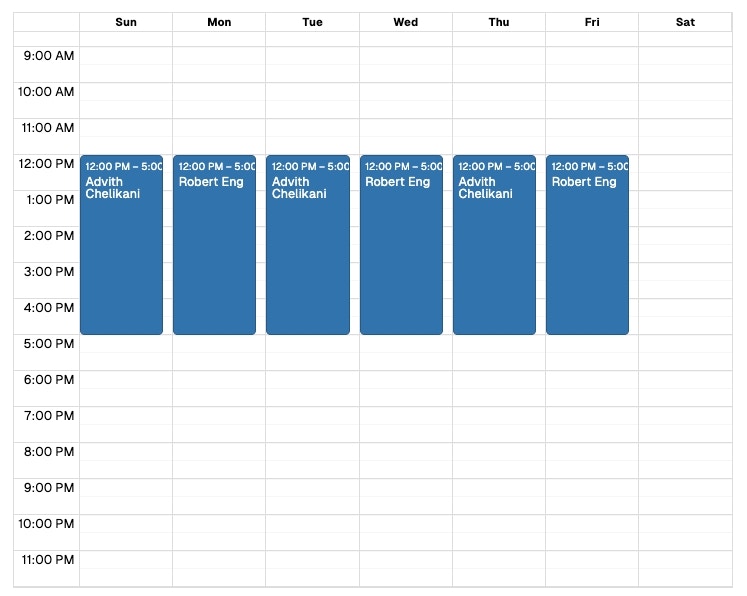
Usage
Put team assignment policies into affect by creating Triggers that automatically assigns issues to a certain team.
- Routing high priority issues straight to Tier 3 support
- Routing bugs about a specific topic to the subject matter expert for that product area
- Reassigning issues that have had their SLA breached
- Routing pre-sales issues from important accounts to your sales engineering team
- Routing issues from named accounts to their CSM
By creating subteams, you can effectively model complex assignment workflows, since each subteam can have its own assignment policy. If subteams are a part of a team assignment schedule, they will need an assignment policy set at the subteam level to work properly.