Usage
Create a tracked issue from Pylon by clicking the Create Issue button in the top right of the issues page.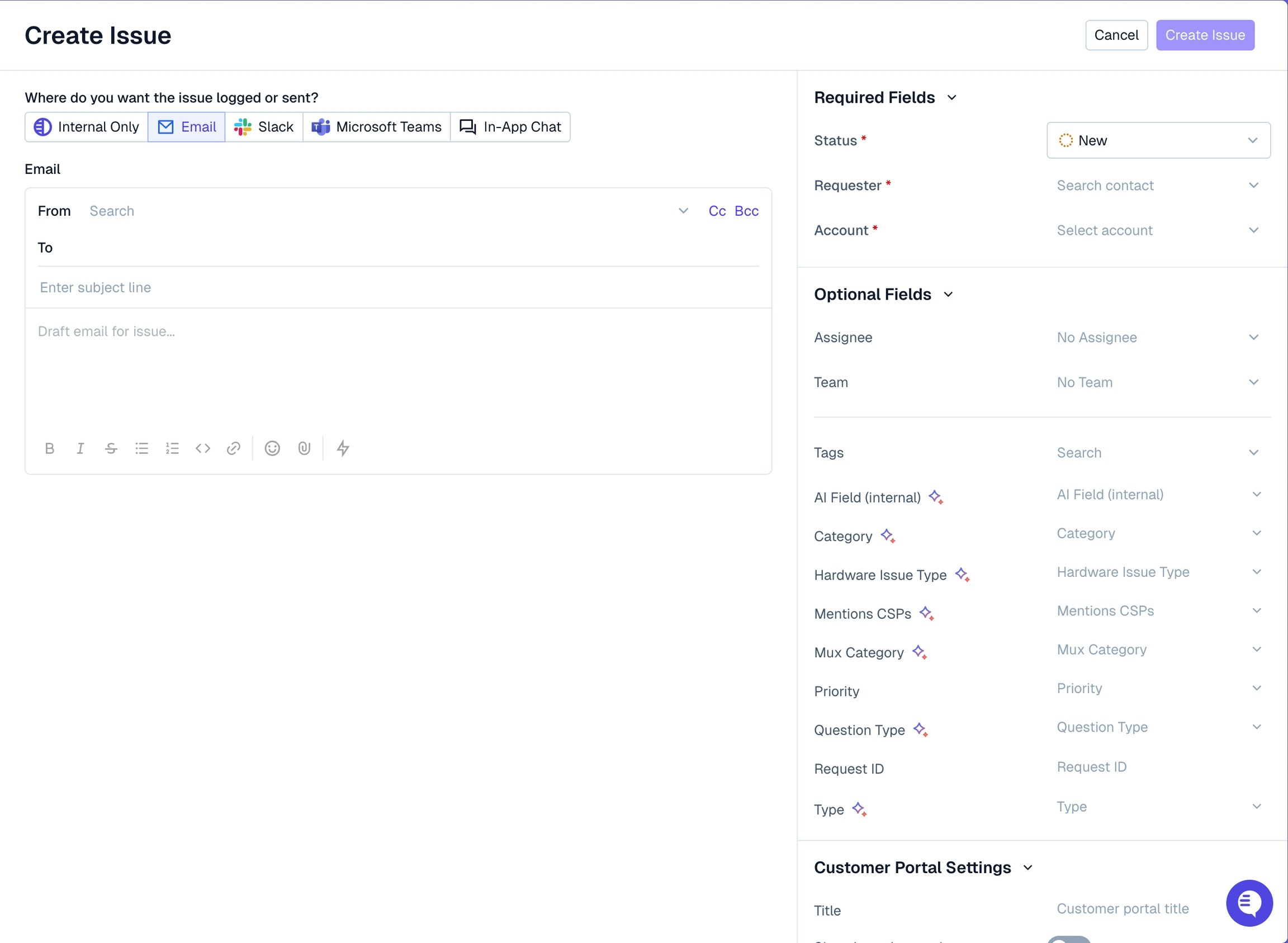
Macros are available to use as part of the issue creation flow! Hit themkeyboard shortcut to bring up the macro menu.
Use our POST /issues API to programmatically create a proactive issue in any channel!
Internal Only
Create an issue that is only visible internally to your team. Manually set the account of the issue as the customer account to attribute work to the proper customer. This is best used when:- Tracking work from a customer call
- Tracking fully internal work on behalf of a customer, i.e. requests made from internal team members
Slack
Kick off a proactive issue into a shared Slack channel. This will post a message into your configured shared channel with the customer and start an issue tracked in Pylon.Microsoft Teams
Kick off a proactive issue into a Teams channel. This will post a message into your configured Teams channel with the customer and start an issue tracked in Pylon.Chat Widget
Kick off a proactive issue to a user over chat. This will pop your message out from the user’s chat, allowing them to click and respond.